
“Wieldable” Bow and Arrow#
Authored by Jared.
Ever wanted a bow and arrow where you can see the bow sprite as you shoot? Look no further!
Uses latest 3.0 version of ZQuest.
Data#
Attributes tab#
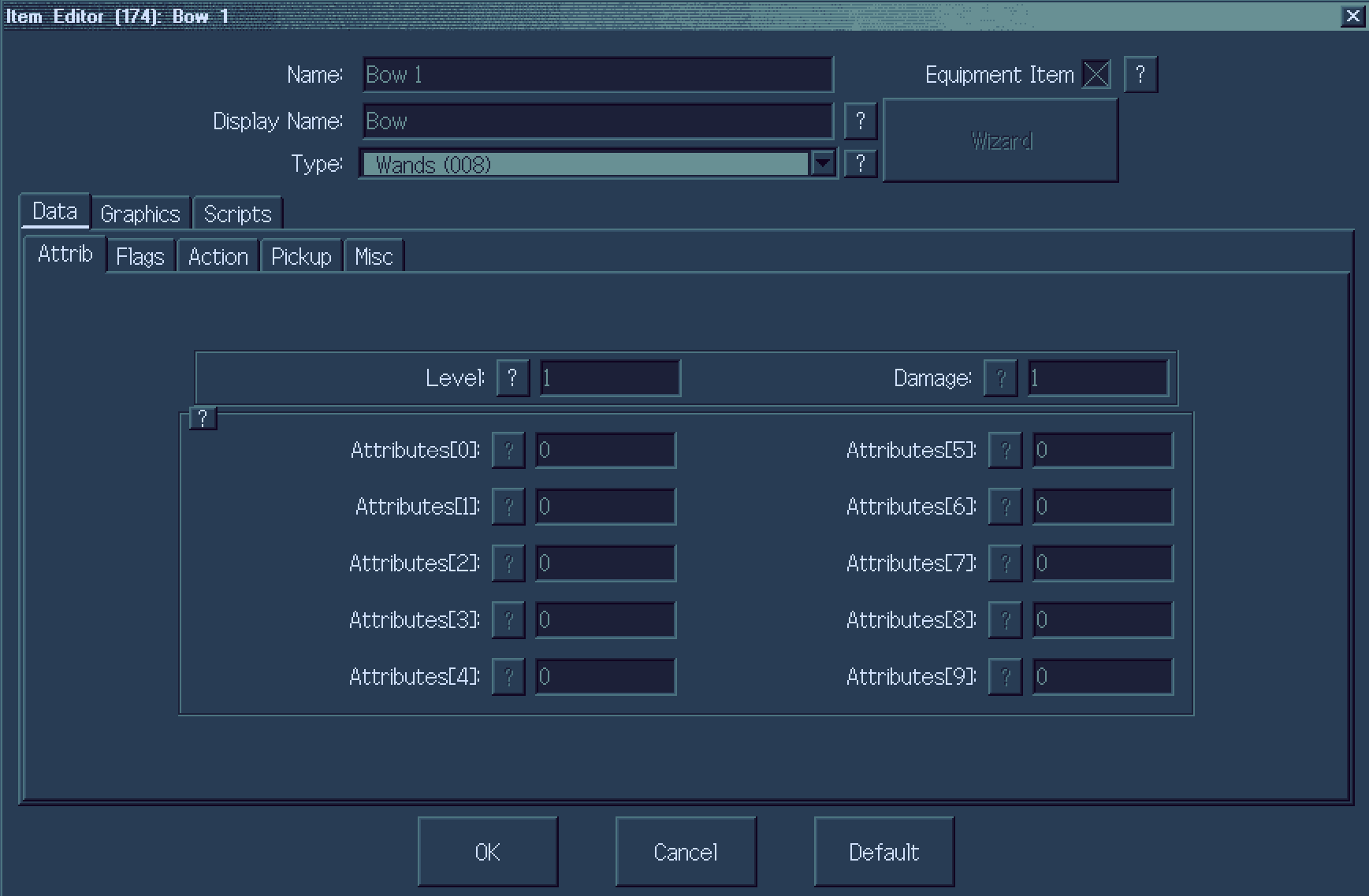
Level and Damage are of course the basics. The big part here is the Type, which is actually a Wand. The reason for this: wands show their sprite when being wielded, and we can manipulate these with 3.0’s newest features!
Flags tab#
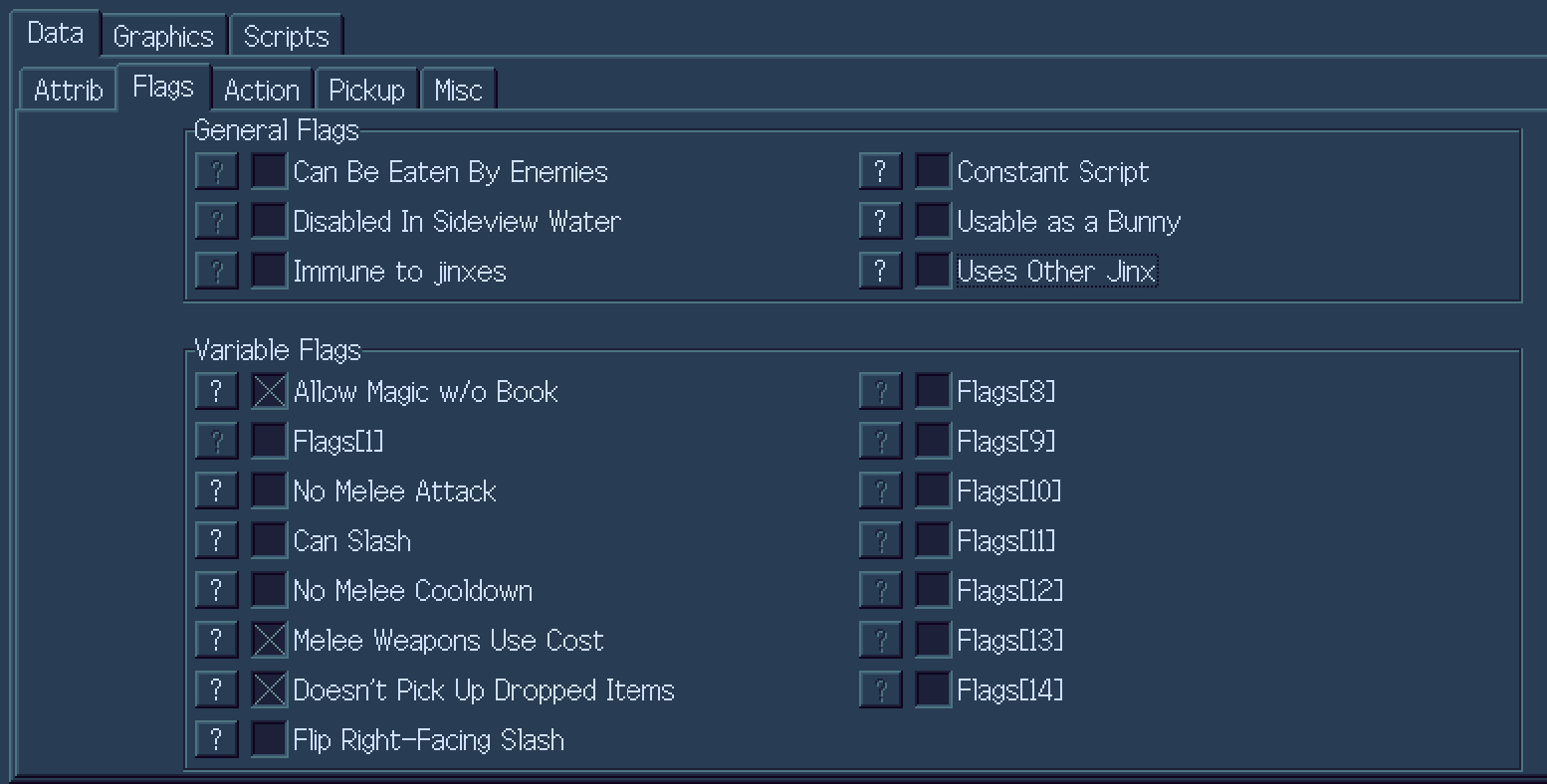
General Flags are up to you.
Variable flags (important):
Allow Magic w/o Book NEEDS TO BE ON. This allows the actual arrow to fly after the bow being shown.
No Melee Attack should be off, unless you want your bow to do damage.
Can Slash should be off. This can cause visual oddities.
Melee Weapons Use Cost is up to you. This essentially tells the game to show the bow on-screen if you have no ammo or not at that exact moment.
Doesn’t Pick Up Dropped Items is up to you.
Action tab#
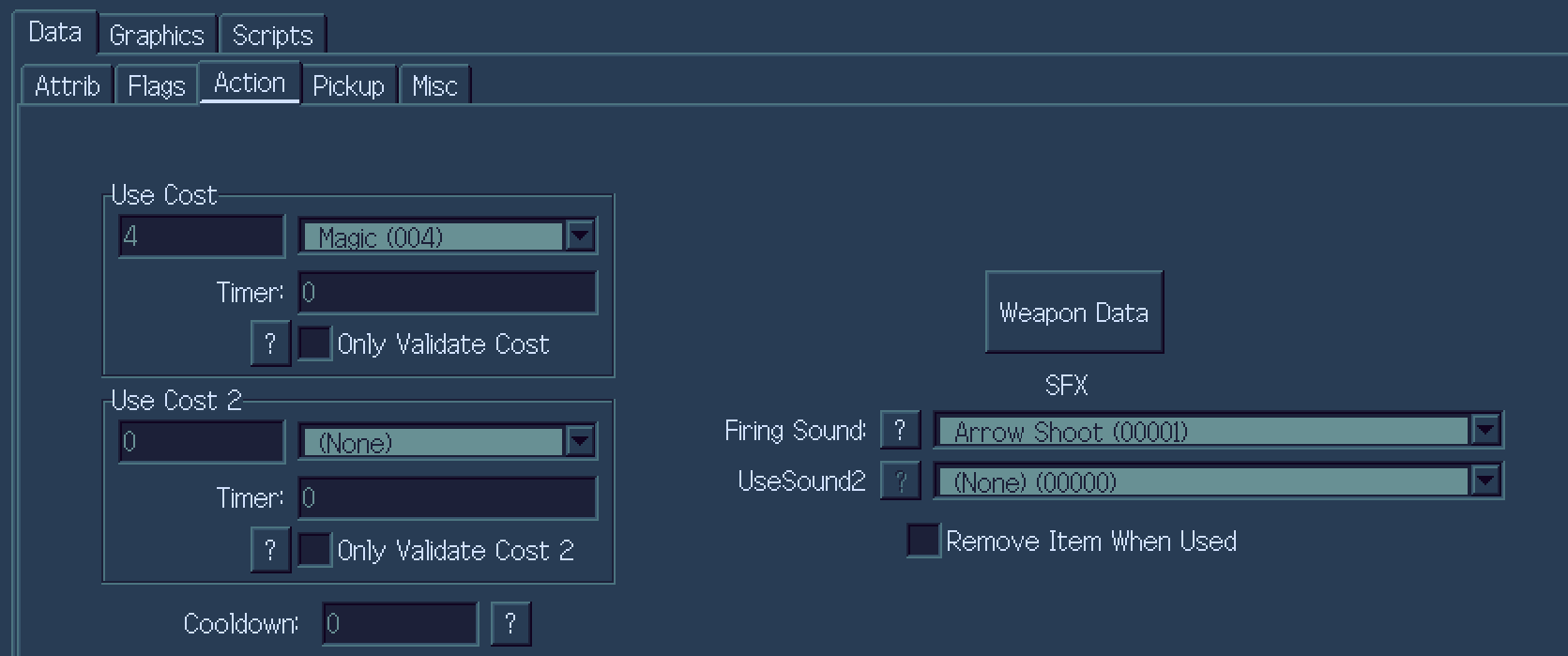
My cost here is magic, as in my quest, my bow uses Stamina. Here, you can make it whatever you like. Firing sound is also vital.
Weapon Data options#
This is the most important section.
All other tabs are up to you. But Misc is the most important tab.
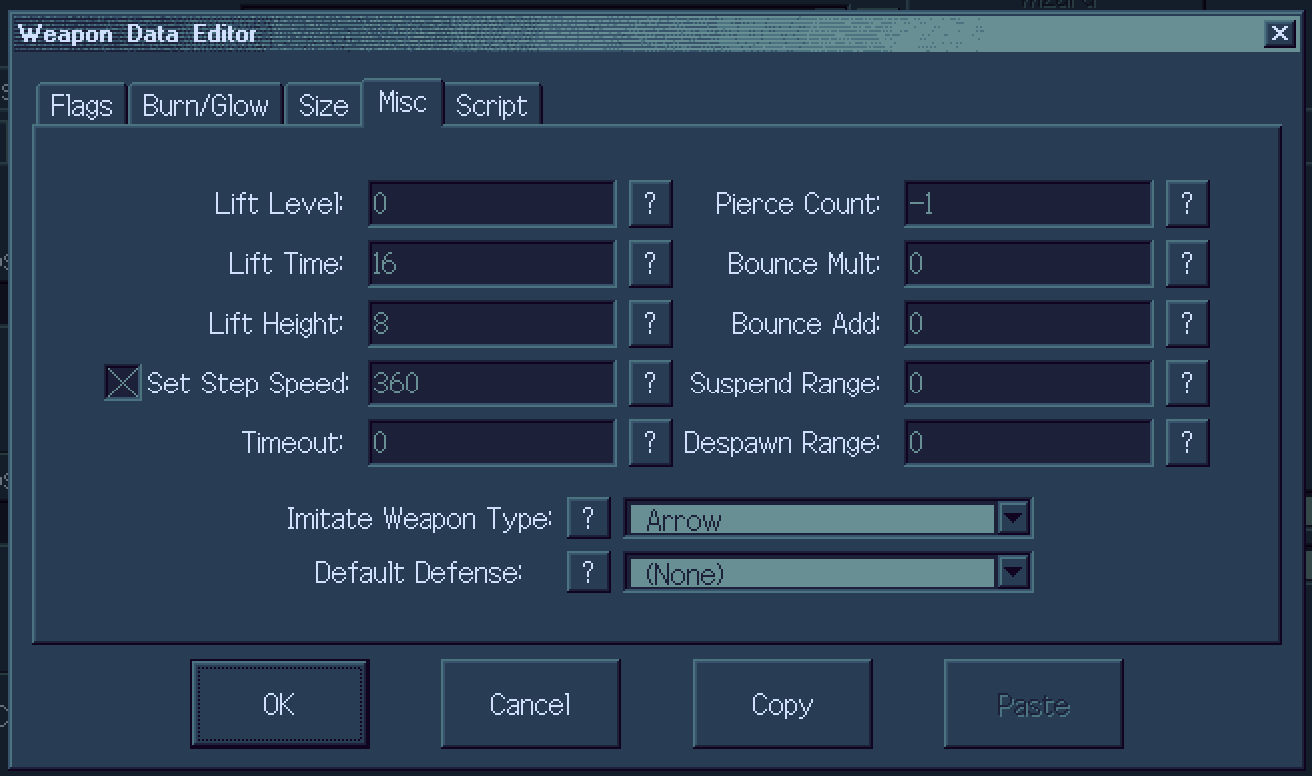
Make sure Imitate Weapon Type is set to Arrow. This is what makes it an arrow!
Also note Set Step Speed, and check it off and set it, as this is important for arrows.
Graphics#
Set your bow graphic to whatever you want.
Sprites tab#
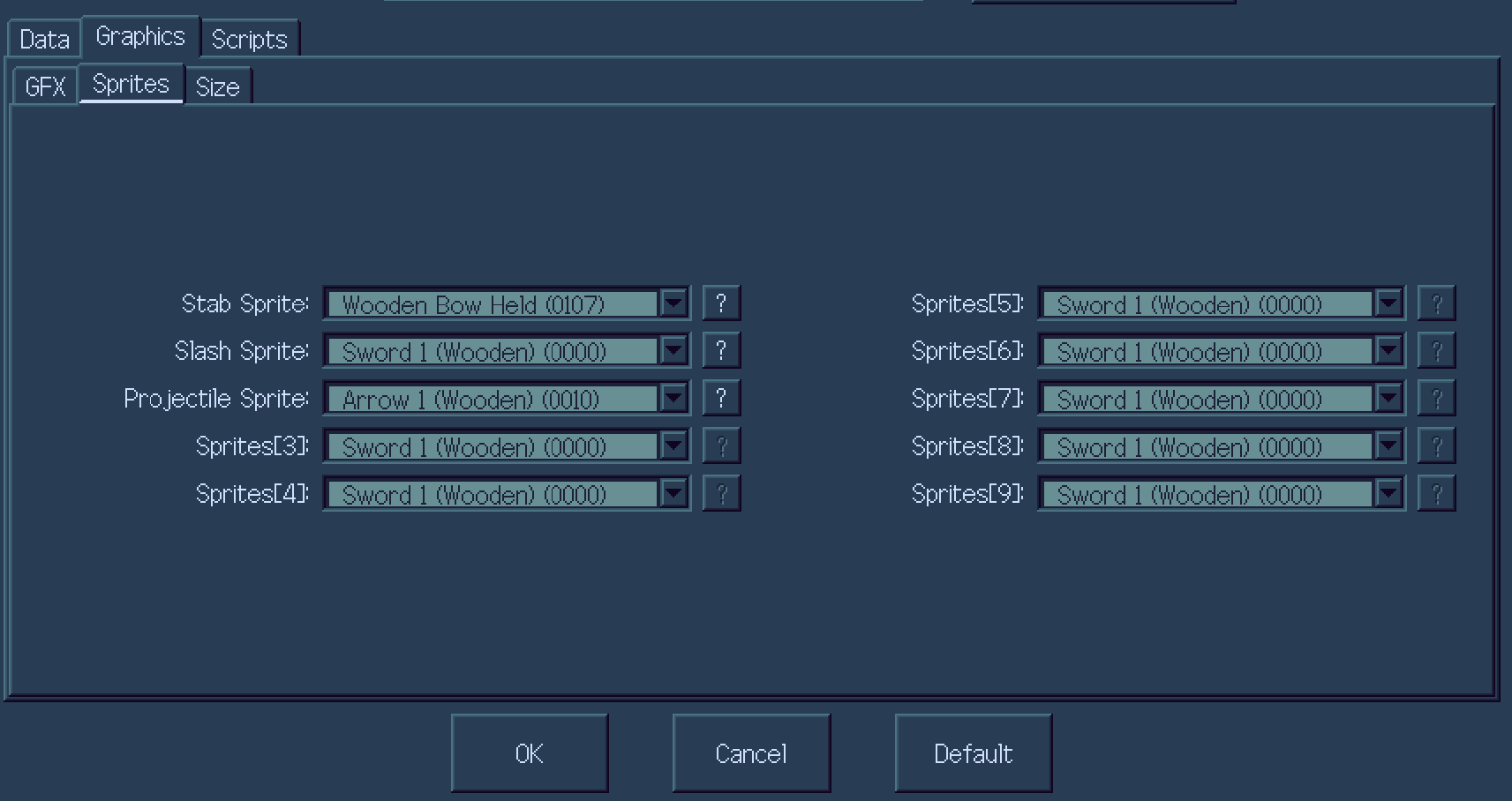
Set Stab Sprite to a custom Bow Sprite. I will include mine at the end of this tutorial. This follows the same format as the arrow, with up/down first, then left/right.
Set Projectile Sprite to a custom or default arrow sprite.
Note: make sure to set it up as a wand on the subscreen.
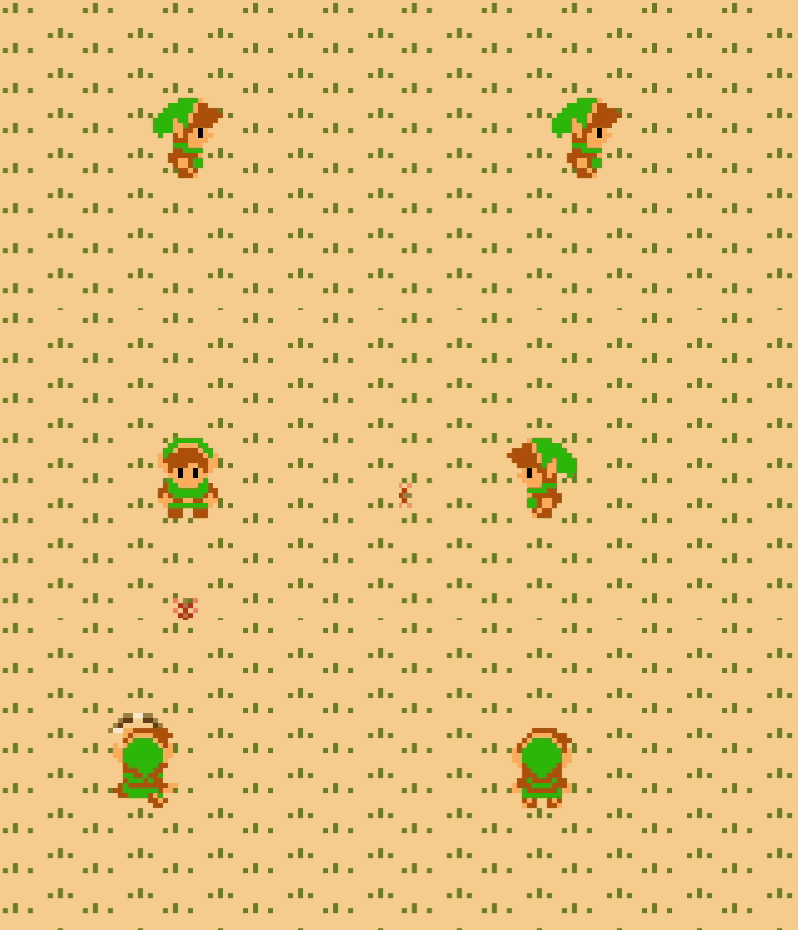
Congratulations! You now have a working bow and arrow!
Sprites: